


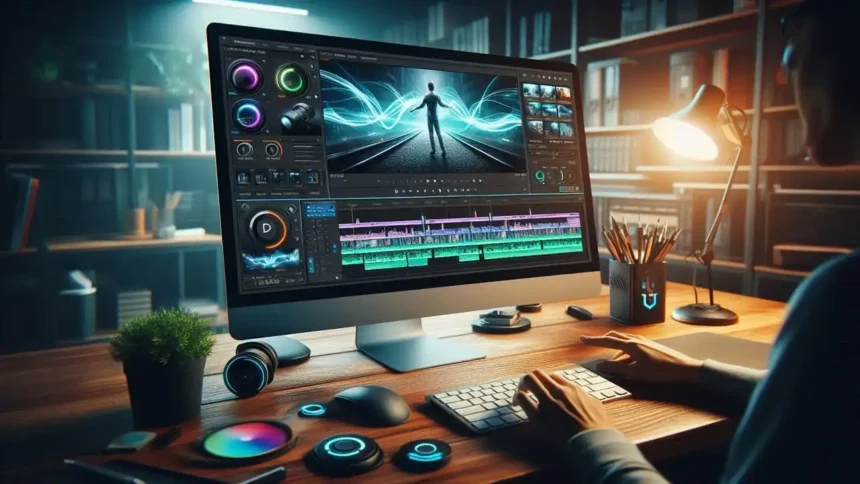
CyberLink PowerDirector Ultimate is the go-to video editing software for creators of all skill levels. Whether you’re a novice or a pro, this powerful tool offers professional-grade features to help you produce stunning videos in 4K, 360°, and other formats. With its intuitive interface and AI-enhanced tools, you can easily create high-quality content for YouTube, social media, and beyond. Take your videos to the next level with CyberLink PowerDirector Ultimate – your creative possibilities are endless.
Why Choose CyberLink PowerDirector Ultimate for Windows PC?
CyberLink PowerDirector Ultimate is one of the top-rated video editing tools for Windows PC due to its robust feature set and user-friendly interface. Unlike other video editors, it strikes a perfect balance between powerful tools and ease of use. Beginners can take advantage of pre-built templates and easy drag-and-drop editing, while advanced users can dive into detailed adjustments and custom editing options. The software supports 4K and 360° editing, which is crucial for modern video content creation. You can read more about PowerDirector’s features on the official website.
Professional Video Editing Made Simple
One of the biggest advantages of CyberLink PowerDirector Ultimate is its intuitive interface, which makes complex video editing tasks more approachable. Even if you’re a beginner, the drag-and-drop feature allows you to create polished, professional-looking videos without much effort. For advanced users, the timeline and toolsets give complete creative freedom. With support for color grading, multi-camera editing, and motion tracking, CyberLink PowerDirector Ultimate is a comprehensive tool that adapts to your growing skillset. Whether you’re editing family videos or professional content, the software provides flexible solutions for all your video editing needs.
Cutting-Edge Features for 4K and 360° Video Editing
CyberLink PowerDirector Ultimate stands out with its ability to handle Ultra HD 4K and 360° video editing, two features that have become essential for modern content creators. 4K resolution is becoming increasingly popular for YouTube videos, online content, and professional projects. PowerDirector ensures that your 4K footage is rendered quickly and efficiently, with minimal performance lag. If you’re editing 360° videos for VR platforms or immersive content, PowerDirector Ultimate also comes with advanced tools that help you edit, stabilize, and refine 360° footage with ease. This makes it the perfect solution for anyone working in VR or advanced video formats.
AI-Powered Tools to Boost Your Creativity
Incorporating artificial intelligence into video editing, CyberLink PowerDirector Ultimate makes editing faster and more efficient. AI tools help automate tasks like video stabilization, object detection, and scene enhancement, giving you more time to focus on the creative aspects of your video. The software also has AI-enhanced motion tracking, which allows you to apply effects to specific moving objects within your video. These AI tools not only improve editing speed but also make it easier for beginners to achieve professional-quality results without extensive knowledge of advanced editing techniques.
More Read

How to Get Started with CyberLink PowerDirector Ultimate
Getting started with CyberLink PowerDirector Ultimate is simple, even if you have no previous video editing experience. After downloading the software from the official website, you can access a range of tutorial videos and help guides to familiarize yourself with the interface and tools. The software comes with several pre-set templates for different types of videos, from YouTube intros to travel vlogs, so you can start editing right away. Additionally, the user-friendly interface is designed to guide you through the entire editing process, making it easier to import media, add transitions, and export your finished video.
Why CyberLink PowerDirector Ultimate is Perfect for Creators of All Levels
Whether you’re a hobbyist or a professional content creator, CyberLink PowerDirector Ultimate offers the versatility, power, and ease of use you need. The software is highly customizable, with options for both simple and complex editing tasks. Its range of tools ensures that your videos will stand out, whether you’re editing in 4K, working with 360° footage, or simply refining a YouTube video. With constant updates and improvements, PowerDirector Ultimate remains at the forefront of video editing technology. If you’re ready to start editing like a pro, you can download CyberLink PowerDirector Ultimate and take advantage of its powerful features today.
Conclusion
CyberLink PowerDirector Ultimate for Windows PC is an excellent choice for anyone looking to elevate their video editing game. With its advanced features, AI-powered tools, and support for 4K and 360° content, it provides everything you need to create professional videos with ease. Whether you’re just starting out or have years of experience, PowerDirector Ultimate will help you bring your creative vision to life. Get started today by downloading the full version from CyberLink’s official page.
System Requirements:
- Operating System: Windows 7/8/8.1/10/11.
- Memory (RAM): 2 GB of RAM required.
- Hard Disk Space: 7 GB of free space required.
- Processor: Intel Core i-series or AMD Phenom II or above.
- Screen Resolution: 1024 x 768, 16-bit color or above.
How to Activate CyberLink PowerDirector Ultimate?
- First, Download CyberLink PowerDirector full version.
- Uninstall the previous version by using IObit Uninstaller Pro.
- Note Turn off the Virus Guard.
- After Download Unpack or extract the rar file and open setup (use Winrar to extract).
- Install the setup after install close it from everywhere.
- Run the crack file and merge it.
- After all of these enjoy the Latest Version.